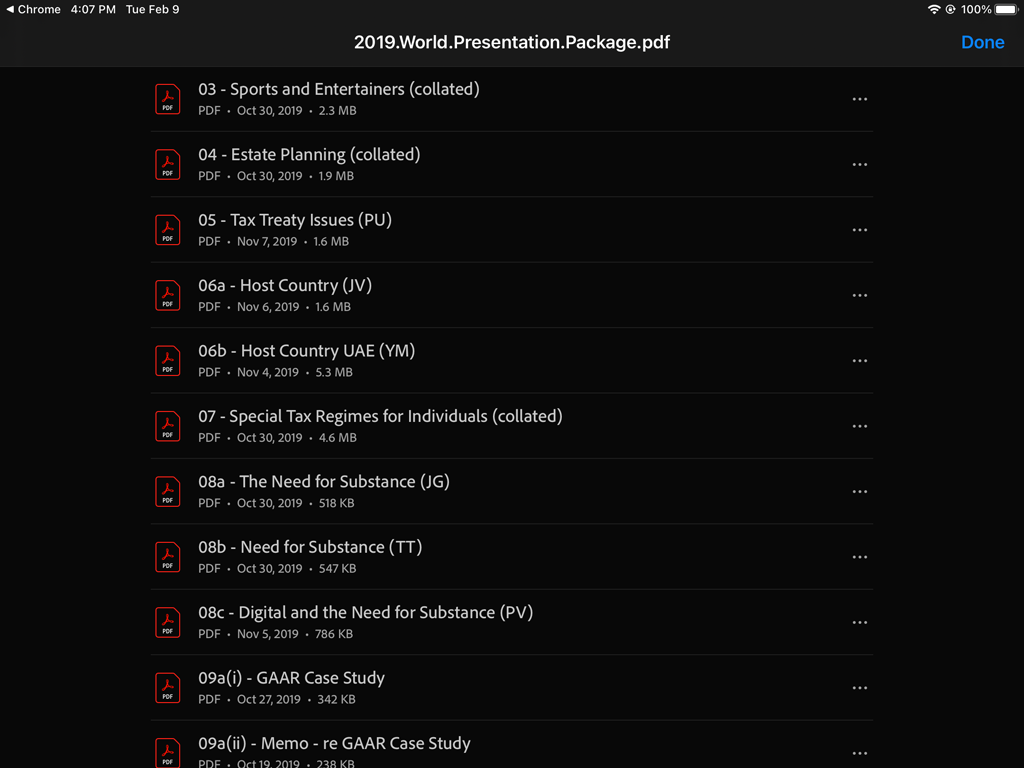
How to open PDF Package on an iPad
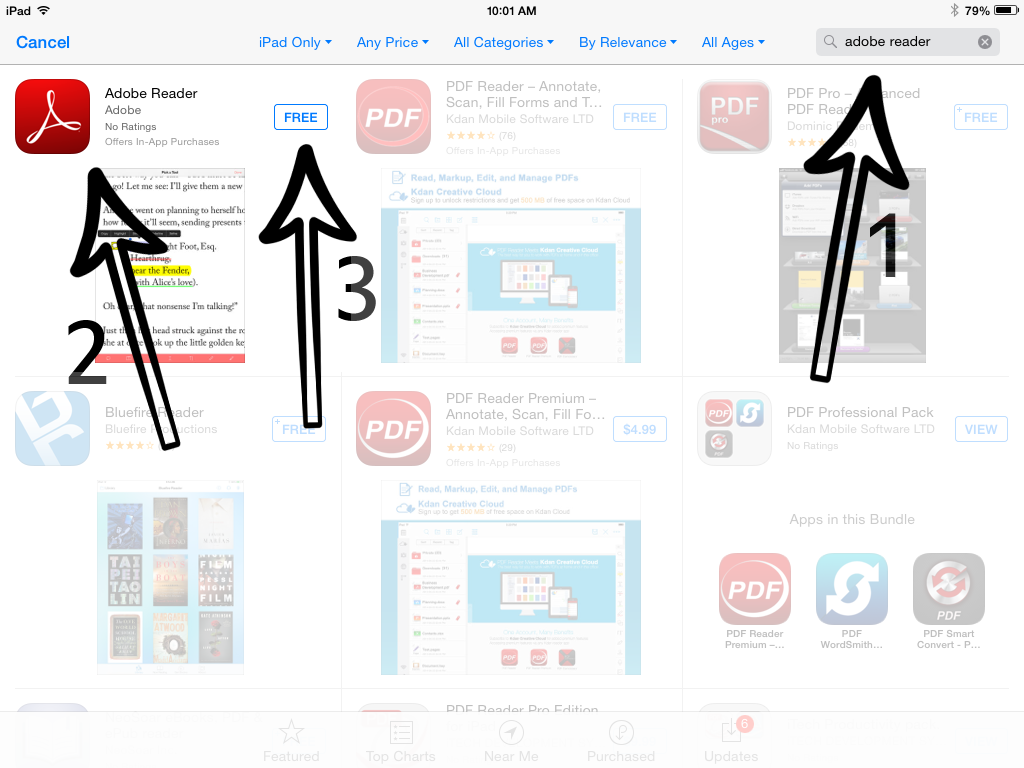
Step 1. Ensure Adobe Reader is installed.
If you are not sure, go to the Apple Store and type in adobe reader in the search box.
If you see "OPEN", it means Adobe Reader is already installed.
If you see "FREE", you need to install the app.
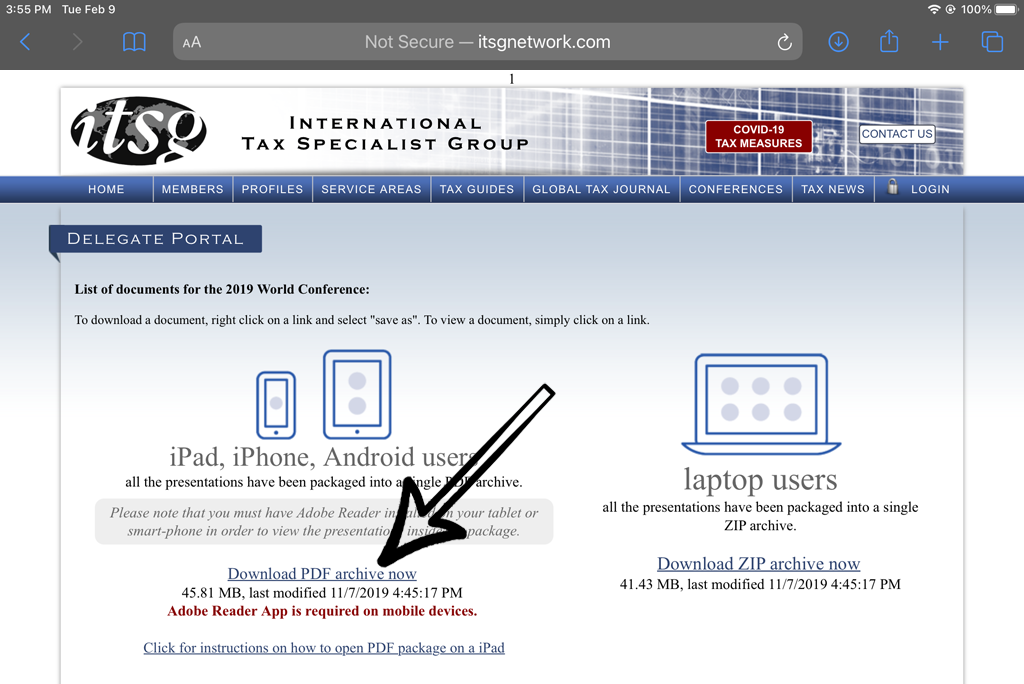
Step 2. Proceed to Delegate Portal
Go to the ITSG website and click on "LOGIN", then Delegate Area/Portal.
Enter Delegate Portal credentials.
Click on "Download PDF archive now" link.
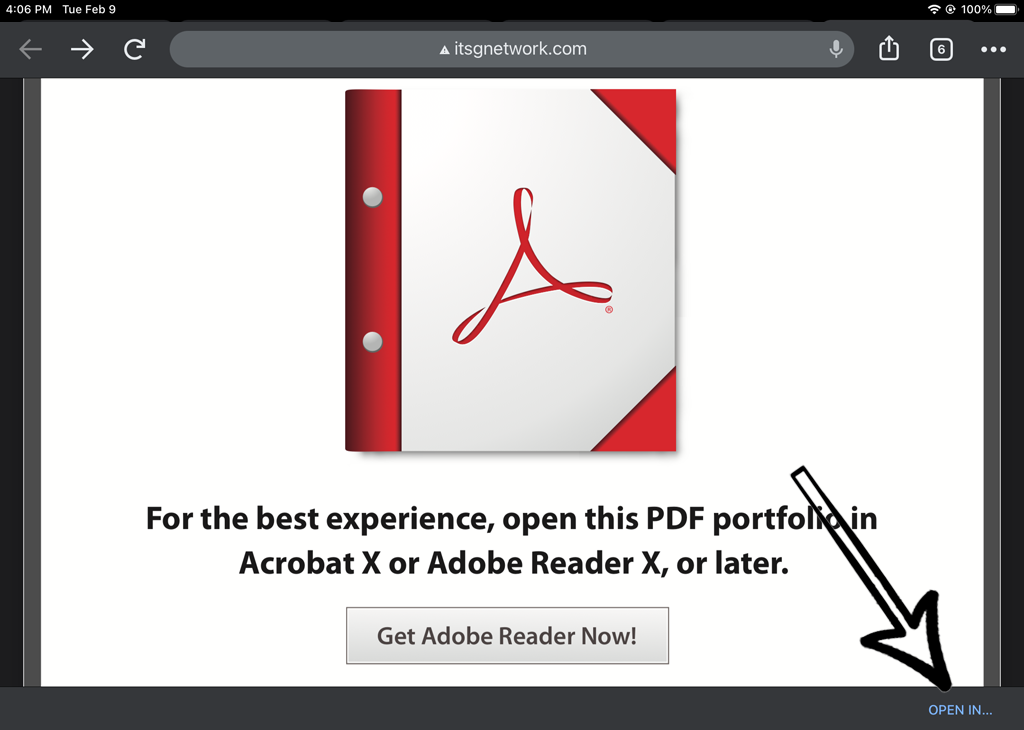
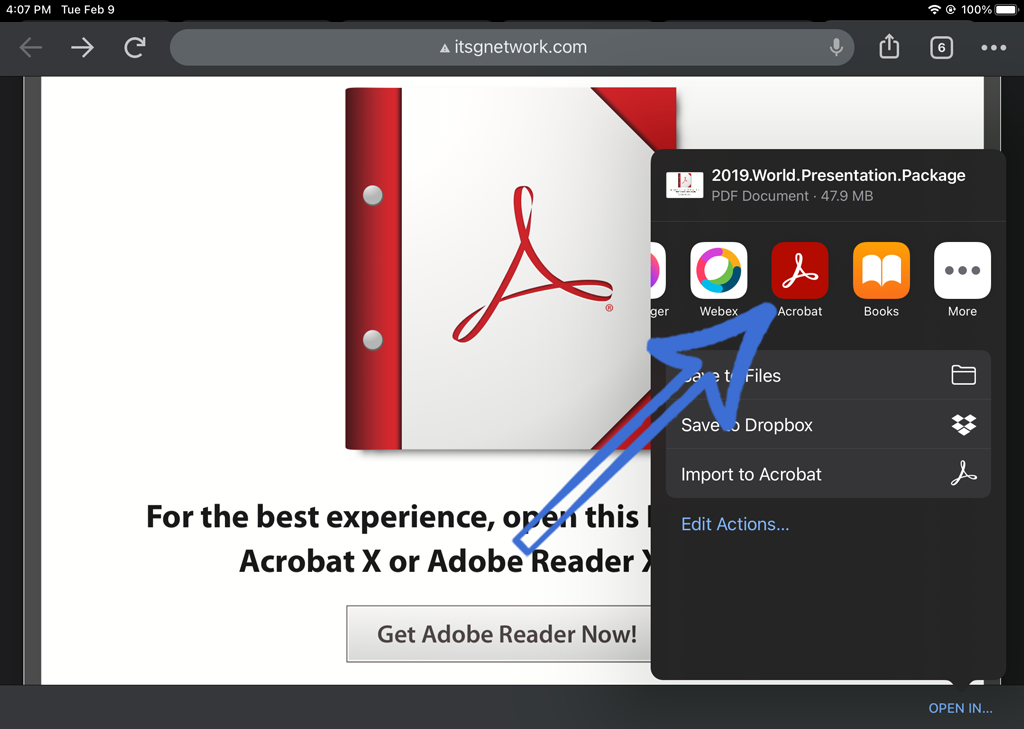
Step 3. "Open In.."
Make sure to click on "Open In..." and not on "Get Adobe Reader Now".
Step 4. Select Acrobat Reader icon
Click on Acrobat icon to open file in already installed Acrobar Reader app. If you do not see the Acrobat icon swipe left for more icons.
Step 5. PDF Portfolio
The ITSG Conference PDF package/portfolio is now opened in Adobe Reader.
Click on the presentation title that you want to view.